Discord Name Generator With Your Name: Create a Unique Discord Identity
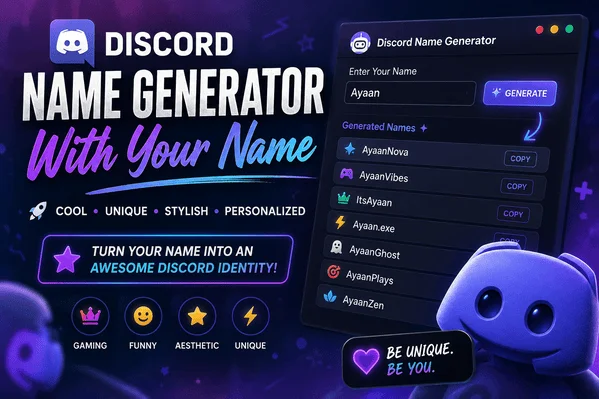
discord name generator with your name

Choosing a Discord name sounds simpleโ€”until you type your name into the box and realize that every good variation seems to be taken. Your first name may be unavailable, your usual nickname may feel boring, and adding random numbers rarely creates the personality you want.

discord name generator with your name

That is where a discord name generator with your name becomes useful. Instead of starting with a completely random username, you can transform your own name into something memorable, stylish, funny, mysterious, or gaming-focused.

The best approach is not simply to generate hundreds of names. It is to take something personalโ€”your name, nickname, initials, interests, or personalityโ€”and turn it into an online identity that still feels like you.

What Is a Discord Name Generator With Your Name?

A Discord name generator with your name is a naming tool that uses your name as the starting point for creating username or display-name ideas.

For example, if your name is Ayaan, a generator could inspire variations such as:

  • AyaanVibe
  • AyaanNova
  • ItsAyaan
  • Ayaan.exe
  • AyaanVerse
  • AyaanPlays
  • AyaanZen
  • AyaanGhost
  • AyaanRush
  • AyaanPixel

The important difference is personalization. Rather than receiving generic suggestions such as โ€œShadowKingโ€ or โ€œDarkWolf,โ€ you get ideas connected to your own identity.

And Discord’s current naming system makes understanding the difference between a username and a display name especially important.

According to Discord’s current support documentation, usernames are unique identifiers, while display names are the names people primarily see. New usernames are lowercase and can contain letters, numbers, periods, and underscores, while display names can include spaces, emojis, special characters, and non-Latin characters within Discord’s rules.

Username vs. Display Name: What Should You Generate?

Before choosing a name, understand what you are actually changing.

FeatureUsernameDisplay Name
Must be uniqueYesNo
Maximum length32 characters32 characters
Uppercase lettersNo, usernames are lowercaseYes
EmojisNoYes
SpacesNoYes
Main purposeIdentification & adding friendsHow you appear
Can be highly decorativeLimitedMuch more flexible

This distinction changes how you should use a name generator.

If you’re trying to create your actual @username, keep your idea short and practical. If you’re creating a display name, you have much more creative freedom.

Discord says usernames can be changed up to twice per week, while display names can be changed much more freely.

A Simple Example

Suppose your name is Zara.

For a username, you might choose:

zara.vibes

For a display name, you could use:

โœฆ Zara โœฆ

Or:

Zara ๐ŸŒ™

The first is designed around Discord’s username restrictions. The second focuses on visual personality.

How to Use a Discord Name Generator With Your Name ?

You do not need complicated formulas to create a great Discord identity. Start with your name and experiment with different naming directions.

1. Use Your Full Name

Start with the simplest version.

If your name is Daniel, possible ideas include:

  • DanielNova
  • DanielVerse
  • DanielRush
  • DanielCore
  • DanielWave

This works especially well if you want people who already know you to recognize your account.

2. Try Your Nickname

Nicknames often sound more natural online.

For example, Alexander could become:

  • AlexVibe
  • AlexNova
  • AlexRush
  • AlexPixel
  • AlexVerse

A nickname can make a username feel less formal while remaining recognizable.

3. Add Your Interests

This is one of the most effective ways to make a generated name feel personal.

Gaming:

  • AyaanPlays
  • ZaraQuest
  • AlexGG
  • DanielXP

Music:

  • ZaraBeats
  • AlexRhythm
  • AyaanTunes
  • DanielEcho

Technology:

  • AlexByte
  • AyaanCode
  • ZaraTech
  • DanielDev

Instead of adding meaningless numbers, add something that tells people what you’re interested in.

50 Discord Name Ideas Using Your Name

Here are flexible formulas you can adapt to almost any name:

  1. Its[Name]
  2. Hey[Name]
  3. TheReal[Name]
  4. [Name]Nova
  5. [Name]Verse
  6. [Name]Vibe
  7. [Name]Wave
  8. [Name]Core
  9. [Name]Zone
  10. [Name]Rush
  11. [Name]Pixel
  12. [Name]Byte
  13. [Name]Plays
  14. [Name]GG
  15. [Name]XP
  16. [Name]Live
  17. [Name]Echo
  18. [Name]Zen
  19. [Name]Void
  20. [Name]Ghost
  21. [Name]Shadow
  22. [Name]Storm
  23. [Name]Frost
  24. [Name]Blaze
  25. [Name]Orbit
  26. [Name]Cosmo
  27. [Name]Lunar
  28. [Name]Solar
  29. [Name]Dream
  30. [Name]Cloud
  31. [Name]Pixel
  32. [Name]Myst
  33. [Name]Aura
  34. [Name]Bloom
  35. [Name]Sonic
  36. [Name]Drift
  37. [Name]Spark
  38. [Name]Quest
  39. [Name]Legend
  40. [Name]Prime
  41. [Name]Mode
  42. [Name]Flex
  43. [Name]OnTop
  44. [Name]Unplugged
  45. [Name]Online
  46. [Name]AfterDark
  47. [Name]Unlocked
  48. [Name]Reloaded
  49. [Name]Original
  50. [Name]Official

Replace [Name] with your own name and test which combinations sound natural.

Cool Discord Name Generator Ideas

If your goal is a confident gaming or community identity, short combinations usually work better than complicated ones.

Try styles such as:

  • [Name]X
  • [Name]Rush
  • [Name]Prime
  • [Name]FPS
  • [Name]GG
  • [Name]Clutch
  • [Name]Quest
  • [Name]Reborn
  • [Name]Legend
  • [Name]Storm
  • [Name]Blaze
  • [Name]Phantom

For example, Hamza could become:

HamzaPrime, HamzaRush, HamzaQuest, or HamzaGG.

The trick is to match the word after your name with your personality. A competitive player might prefer Rush or Clutch, while a relaxed community member might prefer Zen or Vibe.

Aesthetic Discord Names With Your Name

Aesthetic names are usually softer and more visual.

Consider combinations like:

  • [Name]Moon
  • [Name]Bloom
  • [Name]Luna
  • [Name]Cloud
  • [Name]Dream
  • [Name]Aura
  • [Name]Velvet
  • [Name]Rose
  • [Name]Star
  • [Name]Mist
  • [Name]Skies
  • [Name]Glow

For a display name, Discord also permits spaces, emojis, and special characters, giving you more room for creative styling.

Examples:

โ™ก Zara โ™ก

Zara ๐ŸŒ™

โœฆ Ayaan โœฆ

Alex โ€ข Dreamer

โ˜๏ธ Zara

These decorative approaches are better suited to display names than unique usernames.

Funny Discord Names With Your Name

Not every Discord profile needs to look serious.

If your personality is playful, combine your name with an unexpected word:

  • [Name]WasHere
  • [Name]IsTyping
  • [Name]AFK
  • [Name]NeedsCoffee
  • [Name]404
  • [Name]Loading
  • [Name]Disconnected
  • [Name]OnMute
  • [Name]Noob
  • [Name]Probably
  • [Name]Again
  • [Name]HasLeft

For example:

Bilal404

ZaraOnMute

AyaanLoading

AlexProbably

These names work because they create a tiny joke without needing a long explanation.

How to Make Your Generated Name More Original ?

A generator gives you the raw material. The final name should still be yours.

Try these five techniques.

Combine Two Personal Ideas

Instead of:

[Name]Gaming

try:

[Name] + your favorite game style + personality

For example:

ZaraPixel, AyaanClutch, or AlexQuest.

Use Initials

If your full name is long, initials can make the result cleaner.

For example:

AKNova

MSVibe

HZRush

This is particularly useful when your preferred name is already taken.

Change the Word, Not Just the Number

When ayaan is unavailable, adding 123456 may solve the technical problem but not the branding problem.

Better alternatives might be:

  • ayaan.vibe
  • ayaan.zone
  • ayaan.nova
  • ayaan.core

Discord specifically notes that users can use numbers, underscores, and periods when a desired username is already taken.

Keep It Easy to Say

Imagine telling someone your username in a voice chat.

โ€œIt’s Ayaan underscore dot dot seven nineโ€ฆโ€ is difficult to remember.

โ€œAyaan Novaโ€ is much easier.

A good Discord name should ideally be:

  • Easy to spell
  • Easy to pronounce
  • Easy to remember
  • Short enough to type
  • Connected to your personality

Avoid Overdecorating Your Actual Username

Unicode symbols and fancy fonts can look great in a display name, but Discord’s current username rules are considerably more restrictive.

New usernames are limited to Latin characters, numbers, underscores, and periods, while display names provide much more creative flexibility.

What Makes a Discord Name Actually Good?

After experimenting with hundreds of name combinations, one pattern becomes obvious: memorable usually beats complicated.

Naming StyleBest ForExample
Real-name basedPersonal identityZaraNova
Nickname basedCasual communitiesAlexVibe
GamingCompetitive profilesHamzaClutch
AestheticSocial communitiesZaraMoon
FunnyCasual serversAyaan404
MinimalProfessional/cleanAKNova
CreativePersonal brandingDanielVerse

A name does not need ten symbols, five numbers, and an unusual spelling to stand out.

Sometimes AyaanNova is stronger than xX_Ay44n_N0vA_Xx because people can actually remember it.

Privacy Matters When Using Your Real Name

There is one important consideration when using a name generator: you don’t have to use your real-world identity.

Discord allows pseudonymous accounts, but its policies prohibit deceptive impersonation and fake profiles used to misrepresent identities.

If privacy matters to you, consider using:

  • A nickname
  • Initials
  • A shortened first name
  • A fictional variation
  • A name combined with an interest

Avoid putting sensitive information such as your phone number, address, school, workplace details, or date of birth into a username.

Discord also provides profile privacy controls that let users manage who can access certain profile details.

Discord Name Generator With Your Name: Quick Formula

Want to create your own name without overthinking it?

Use this formula:

Your Name + Personality Word + Optional Number

Examples:

Zara + Moon = ZaraMoon

Ayaan + Nova = AyaanNova

Alex + Pixel = AlexPixel

Hamza + Rush = HamzaRush

Daniel + Zen = DanielZen

For a more personal result:

Nickname + Hobby + Mood

For example:

Alex + Gaming + Chill = AlexChillGG

This method produces names that feel intentional instead of randomly generated.

FAQs

What is a Discord name generator with your name?

It is a naming tool that uses your existing name, nickname, initials, or other personal words to generate Discord username and display-name ideas.

Can I use my real name on Discord?

Yes, but you should consider your privacy before publicly using identifying information. You can also use a nickname or creative variation instead.

Can two people have the same Discord display name?

Yes. Discord display names are not unique. Your username, however, is a unique identifier.

Can Discord usernames contain emojis?

Current Discord username rules do not allow emojis. Display names, however, can include emojis and special characters within Discord’s guidelines.

How long can a Discord username be?

Discord currently limits usernames to 2โ€“32 characters. Display names can contain 1โ€“32 characters.

What should I do if my name is already taken?

Try adding a meaningful word, period, underscore, or number. For example, transform zara into zara.nova, zara_vibe, or zara7, provided the resulting username follows Discord’s rules.

Can I make my Discord display name aesthetic?

Yes. Display names offer substantially more creative freedom and can use spaces, emojis, special characters, and non-Latin characters. Discord also offers Display Name Styles for Nitro users, including fonts, colors, and effects.

How often can I change my Discord username?

Discord currently says usernames can be changed up to two times per week, while display names can be changed much more frequently.

Final Thoughts

A great Discord name does more than fill a profile field. It becomes the small piece of identity people recognize whenever you join a server, send a message, or appear in a voice channel.

That’s why a discord name generator with your name can be more useful than a completely random generator. Your name gives the idea a starting point, while words connected to gaming, music, humor, aesthetics, or personality make it distinctive.

Start with your real name or nickname. Create five or ten variations. Remove anything difficult to pronounce. Then choose the one that sounds like something you would actually want friends to call you.

And remember: the best username isn’t necessarily the most complicated one. It’s the one people remember.

Ready to create yours? Enter your name into a Discord name generator, experiment with different styles, and turn an ordinary name into a Discord identity that feels uniquely yours. You can also explore more stylish usernames, aesthetic names, and gaming name ideas on your favorite name-generator resources.

How Can I Stylish My Name? Easy Ways to Create a Unique and Attractive Name

How can I stylish my name ?

Have you ever typed your name into a game, social media profile, or messaging app and thought, โ€œThis looks too plainโ€? You are not alone. A name can be more than a labelโ€”it can become part of your online identity.

How can I stylish my name ?

If you are wondering How can I stylish my name?, the good news is that you do not need graphic-design skills or complicated software. With different fonts, Unicode characters, symbols, spacing, capitalization, and creative combinations, you can transform an ordinary name into something memorable.

For example, a simple name such as Ayaan can become:

  • โœฆ ๐“๐”‚๐“ช๐“ช๐“ท โœฆ
  • ๊งเผบAyaanเผป๊ง‚
  • ใ€Ž๏ผก๏ผน๏ผก๏ผก๏ผฎใ€
  • ๐”ธ๐•ช๐•’๐•’๐•Ÿ
  • แด€สแด€แด€ษด
  • โ˜…ๅฝก[Ayaan]ๅฝกโ˜…

The trick is not simply adding as many symbols as possible. The best stylish names are readable, distinctive, and appropriate for the platform where you plan to use them.

How Can I Stylish My Name? 10 Easy Methods

1. Use Fancy Unicode Letters

One of the easiest approaches is replacing ordinary letters with visually different Unicode characters.

For example:

Normal:
Ayaan

Stylish:
๐“๐”‚๐“ช๐“ช๐“ท
๐”„๐”‚๐”ž๐”ž๐”ซ
๐•ฌ๐–ž๐–†๐–†๐–“
๏ผก๏ฝ™๏ฝ๏ฝ๏ฝŽ
แด€สแด€แด€ษด

These characters can create bold, script, mathematical, full-width, or other visual styles.

However, there is an important distinction: Unicode defines characters and their properties; it does not guarantee that every device or app will display every character identically. The Unicode Consortium notes that actual font rendering can vary considerably.

Best for: Instagram bios, profiles, gaming names, usernames, and display names.

2. Add Simple Symbols

Sometimes less is more. Instead of covering your name with decorations, add one or two symbols.

Examples:

  • โ˜… Ayaan โ˜…
  • โœฆ Ayaan โœฆ
  • โ™ก Ayaan โ™ก
  • โ€ข Ayaan โ€ข
  • ใ€ŽAyaanใ€
  • ใ€Ayaanใ€‘
  • ไบ— Ayaan ไบ—

This approach works particularly well when you want your name to remain easy to read.

A useful rule is one visual idea at a time. If you combine hearts, crowns, stars, brackets, arrows, and multiple font styles together, the result can become difficult to recognize.

3. Create a Gaming-Style Name

Gamers often want names that are short, recognizable, and visually distinctive.

For example:

  • ไบ— Ayaan ไบ—
  • Ayaanใ€…
  • ไนˆAyaanไนˆ
  • ใ€ŽAyaanใ€
  • A Y A A N
  • Ayaanใƒ„
  • โ˜…Ayaanโ˜…

You can also combine a name with a gaming identity:

The strongest gaming names usually remain recognizable even when displayed in a small profile area.

Tip: Always test the name inside the actual game before becoming attached to a particular design. Some games restrict certain characters, symbols, or name lengths.

4. Frame Your Name

Borders and brackets can instantly change the personality of a name.

Examples:

Soft style:
โ™ก Ayaan โ™ก

Modern style:
ใ€Ayaanใ€‘

Gaming style:
๊งAyaan๊ง‚

Clean style:
ใ€ŽAyaanใ€

Bold style:
เผบAyaanเผป

You can also create your own combinations instead of copying a popular template. That small change can make the result feel much more personal.

A better approach is to choose a single visual theme:

StyleExampleBest Use
Elegant๐“๐”‚๐“ช๐“ช๐“ทSocial profiles
Bold๐—”๐˜†๐—ฎ๐—ฎ๐—ปDisplay names
Gothic๐•ฌ๐–ž๐–†๐–†๐–“Gaming
MinimalA Y A A NProfessional profiles
Decorative๊งAyaan๊ง‚Gaming/fun
Small capsแด€สแด€แด€ษดModern usernames

This is where personal taste matters. A stylish name should reflect the personality you want your profile to communicate.

Stylish Name Ideas for Different Platforms

The โ€œbestโ€ name style depends heavily on where you are using it.

Instagram and Social Media

Social platforms generally benefit from attractive but readable designs.

Examples:

  • ๐“๐”‚๐“ช๐“ช๐“ท โ™ก
  • Ayaan โœฆ
  • ใ€ŽAyaanใ€
  • แด€สแด€แด€ษด
  • Ayaan | Official

For a public profile, readability is more important than decoration because people need to recognize and remember your name quickly.

Free Fire, PUBG, and Other Games

Gaming names can be more dramatic:

  • ไบ— Ayaan ไบ—
  • ๊งเผบAyaanเผป๊ง‚
  • Ayaanใ€…
  • ใ€ŽAyaanใ€
  • ไนˆAyaanไนˆ

Before using one, check whether the specific game accepts the characters. A name that looks perfect in a browser may appear differentlyโ€”or fail completelyโ€”inside a game.

WhatsApp and Messaging Apps

A simple style usually works best:

  • Ayaan โ™ก
  • ๐“๐”‚๐“ช๐“ช๐“ท
  • Ayaan โœจ
  • ใ€ŽAyaanใ€

You want friends and contacts to identify you immediately.

How to Choose the Right Stylish Name ?

Before copying a design, ask yourself three questions:

Is it readable?

If someone has to stare at your name for five seconds to understand it, simplify it.

Does it work on your platform?

Different apps, games, browsers, and devices can render Unicode differently. Unicode characters have standardized identities, but their visual appearance depends partly on the fonts and systems available.

Does it feel like you?

A stylish name should have some connection to your personality.

If you are calm and minimalist, choose a clean design. If you love gaming, a bold decorative style may fit better. If you are building a personal brand, prioritize consistency and readability.

Quick Comparison: Which Style Should You Choose?

Your GoalRecommended StyleWhy
InstagramElegant + symbolAttractive and recognizable
GamingBold + decorativeStrong visual personality
WhatsAppSimple + symbolEasy for contacts to read
YouTubeClean brandingBetter long-term recognition
TikTokTrendy UnicodeEye-catching display name
Professional profileMinimalClear and trustworthy
Personal nicknameCreativeMore room for experimentation

Where Do These Special Characters Come From?

Many stylish-name websites describe their output as โ€œfonts,โ€ but technically, much of the effect comes from Unicode characters rather than installing a new font on your phone.

The Unicode Standard assigns characters unique names and identifiers, and it includes scripts, punctuation, symbols, and many other character types.

That explains why you can copy some stylish text from one website and paste it into another application without installing a font.

For deeper reference, you can explore the official Unicode Standard and its character charts.

Frequently Asked Questions

How can I stylish my name on my phone?

Use a Unicode-style name generator, choose a design you like, copy the resulting text, and paste it into your profile or supported game. Always test the result because character support varies between apps.

How can I make my name look cool?

Start with your normal name and add one visual elementโ€”such as a special letter style, brackets, or a symbol. For example, Ayaan can become ใ€Ž๐“๐”‚๐“ช๐“ช๐“ทใ€.

Are stylish fonts actually fonts?

Usually, what people call โ€œstylish fontsโ€ online are Unicode characters or character sequences that create different visual appearances. The underlying text is not necessarily a newly installed font.

Can I use stylish names in Free Fire or PUBG?

Some stylish characters work, while others may be restricted or displayed incorrectly. The safest approach is to copy the name and test it in the game’s name-change interface before confirming it.

Why does my stylish name appear as boxes?

Your device, application, or available font may not support a particular Unicode character. Try a simpler style using more widely supported characters.

Can I use symbols in my Instagram name?

Instagram’s rules and available profile fields can differ, so check the current platform restrictions before choosing a name. A simple combination is generally safer than a name containing many unusual characters.

What is the best stylish name?

There is no single best style. The ideal choice is one that matches your personality, remains readable, works on your platform, and is easy for other people to remember.

Should I use a stylish name for a professional account?

A subtle style can work, but excessive decoration is usually unnecessary. For professional branding, prioritize readability, consistency, and easy recognition.


Final Thoughts

So, How can I stylish my name? Start simple.

Take your ordinary name, experiment with a different Unicode style, add one or two symbols, and then test how it looks on the platform where you actually intend to use it. The most attractive result is rarely the one with the most decorations.

A good stylish name should feel personal, readable, memorable, and appropriate.

Whether you want a cool gaming nickname, an elegant Instagram display name, or a clean personal brand, styling your name gives you an easy way to make your digital identity feel more like your own.

Now try three different versions of your nameโ€”minimal, elegant, and gamingโ€”and choose the one that best represents you. If you found a style you love, share it with your friends and see which version they prefer.

Suggested Visuals

Featured image: A clean graphic showing one ordinary name transformed into five different stylish Unicode designs.

Infographic: โ€œHow to Style Your Name in 4 Stepsโ€ โ€” Choose a font โ†’ Add a symbol โ†’ Check readability โ†’ Test on your platform.

Internal-link ideas: Add links to related pages such as Free Fire Stylish Names, PUBG Name Ideas, Instagram Username Ideas, Cool Nicknames, and Fancy Text Generator.


Nickname Generator โ€“ Cool & Stylish Username Ideas Copy Paste

Nickname Generator โ€“ Cool & Stylish Username Ideas Copy Paste

Introduction:

In todayโ€™s digital world, your username is more than just a nameโ€”itโ€™s your identity. Whether you’re gaming, posting on social media, or building a personal brand, the right nickname can make you stand out instantly. Thatโ€™s where a Nickname Generator โ€“ Cool & Stylish Username Ideas Copy Paste tool becomes a game-changer.

But hereโ€™s the thing: most people settle for random, forgettable usernames. You donโ€™t have to. With the right approach, your nickname can reflect your personality, creativity, and even your ambitions.

Nickname Generator โ€“ Cool & Stylish Username Ideas Copy Paste

In this guide, weโ€™ll explore how nickname generators work, what makes a username truly stylish, and how you can create one that people actually remember.

Why Your Nickname Matters More Than You Think ?

A nickname isnโ€™t just a labelโ€”itโ€™s your first impression.

Think about it:

  • Gamers recognize each other by usernames before skill.
  • Social media profiles are judged instantly based on names.
  • Unique usernames are easier to remember and search.

A well-crafted nickname can:

  • Build your personal brand
  • Make you instantly recognizable
  • Reflect your personality or niche

On the flip side, a generic or cluttered username can make you forgettable.

What is a Nickname Generator?

A nickname generator is a tool designed to create unique, stylish, and creative usernames instantly. These tools combine:

  • Words and symbols
  • Aesthetic fonts
  • Randomized patterns
  • Personality-based suggestions

Types of Nickname Generators

TypeBest ForExample Style
Aesthetic GeneratorInstagram, TikTok๐’ฎ๐“‰๐’ถ๐“‡๐’ข๐’พ๐“‡๐“
Gaming GeneratorPUBG, FortniteShadowXHunter
Fantasy GeneratorRPGs, storiesDarkElvenLord
Minimalist GeneratorProfessional useNeoByte

Cool & Stylish Username Ideas (Copy Paste Ready)

Here are some handpicked username ideas you can copy and use instantly:

Cool Usernames

  • ShadowVortex
  • BlazeNova
  • SilentReaper
  • NeonPhantom
  • FrostByte

Aesthetic Usernames

  • moonlit.dreams
  • velvet.echo
  • softglow.x
  • pastel.soul
  • lucid.stars

Gaming Usernames

  • KillSwitchX
  • DarkSniper99
  • VenomStrike
  • GhostRiderX
  • AlphaPredator

๐Ÿ’Ž Stylish Unicode Usernames

  • ๐•ฏ๐–†๐–—๐–๐•พ๐–”๐–š๐–‘
  • ๐“ข๐“ฝ๐“ช๐“ป๐“•๐“ช๐“ต๐“ต
  • โœงเผบ๐“›๐“พ๐“ท๐“ชเผปโœง
  • ไบ—๐•น๐–Ž๐–Œ๐–๐–™ไบ—
  • โ™›๐“š๐“ฒ๐“ท๐“ฐโ™›

How to Create Your Own Unique Nickname ?

Instead of relying only on generators, you can craft a truly original username by following this method:

1. Start with a Core Idea

Pick something that represents you:

  • Personality (Calm, Aggressive, Creative)
  • Interests (Gaming, Music, Space)
  • Traits (Fast, Silent, Bold)

2. Add Style Elements

Enhance your base name with:

  • Prefixes: Dark, Neo, Ultra
  • Suffixes: X, 99, Pro
  • Symbols: _, ., โœจ

3. Mix Languages or Words

Combine words creatively:

  • Shadow + Pulse โ†’ ShadowPulse
  • Nova + Drift โ†’ NovaDrift

4. Use Fonts & Unicode

Stylish fonts can instantly upgrade your name:

  • Normal โ†’ StarFall
  • Stylish โ†’ ๐“ข๐“ฝ๐“ช๐“ป๐“•๐“ช๐“ต๐“ต

Comparison: Generated vs Custom Usernames

FeatureGenerated UsernameCustom Username
SpeedInstantTakes time
UniquenessMediumHigh
CreativityAlgorithm-basedFully personal
Branding PotentialLimitedStrong

๐Ÿ‘‰ Insight: Use generators for inspirationโ€”but customize for impact.

Key Trends in Stylish Usernames (2026)

Staying trendy helps your nickname feel modern and relevant.

Minimalist Names

Short, clean usernames are dominating:

  • Zyro
  • Nexo
  • Vyn

Lowercase Aesthetic

Popular on Instagram and TikTok:

  • lost.echo
  • blue.haze

Symbol-Based Names

Creative use of symbols:

  • x.shadow.x
  • โ˜…nightโ˜…

Fantasy & Dark Themes

Especially in gaming:

  • BloodRaven
  • VoidWalker

Pro Tips for Choosing the Perfect Username

โœ” Keep it Simple

Avoid overly complicated namesโ€”people should remember it easily.

โœ” Make it Unique

Check availability across platforms to maintain consistency.

โœ” Avoid Numbers (Unless Stylish)

Random numbers can look messy unless intentional (e.g., X99).

โœ” Think Long-Term

Choose something you wonโ€™t outgrow in a few months.

  • โ€œBest Instagram Bio Ideasโ€
  • โ€œHow to Grow Your Gaming Channelโ€
  • โ€œPersonal Branding Tips for Beginnersโ€

Final Thoughts: Your Name, Your Identity

A great username is a blend of creativity, strategy, and personality. While a Nickname Generator โ€“ Cool & Stylish Username Ideas Copy Paste tool can give you a strong starting point, the real magic happens when you personalize it.

Your nickname should:

  • Represent who you are
  • Be easy to remember
  • Stand out in a crowded digital space

Call-to-Action

Now itโ€™s your turn!

๐Ÿ‘‰ Try creating your own nickname using the tips above
๐Ÿ‘‰ Pick your favorite from the list and customize it
๐Ÿ‘‰ Share your username idea in the comments or with friends

Want more creative ideas? Bookmark this page and explore more guides to level up your online identity!