Stylish Calligraphy Font Generator: Create Beautiful Text in Seconds
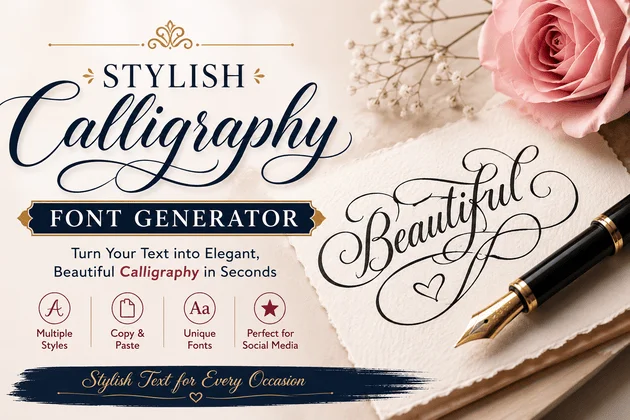
stylish calligraphy font generator

Introduction

A plain name can look ordinary, but the right lettering can completely change its personality. Turn โ€œWelcomeโ€ into โ€œ๐“ฆ๐“ฎ๐“ต๐“ฌ๐“ธ๐“ถ๐“ฎโ€, give your username an elegant appearance, or create a decorative heading without opening complicated design software.

stylish calligraphy font generator

That is where a stylish calligraphy font generator becomes useful. These online tools transform ordinary text into decorative, script-like, cursive, bold, or artistic characters that can often be copied and pasted into social media profiles, messages, captions, usernames, invitations, and other digital spaces.

But there is an important detail many people miss: what looks like a โ€œfontโ€ online is not always an actual font. Many generators use special Unicode characters to create the visual effect. Unicode itself includes mathematical script and calligraphic variants, although the Unicode Standard explains that these characters were originally designed for mathematical notation rather than general-purpose text styling.

So, how do these generators work, which styles are worth using, and when should you choose a real installed font instead? Let’s explore it.

What Is a Stylish Calligraphy Font Generator?

A stylish calligraphy font generator is an online tool that takes ordinary typed text and produces decorative alternatives.

For example:

Normal:
Beautiful Name

Script style:
๐“‘๐“ฎ๐“ช๐“พ๐“ฝ๐“ฒ๐“ฏ๐“พ๐“ต ๐“๐“ช๐“ถ๐“ฎ

Bold script:
๐“‘๐“ฎ๐“ช๐“พ๐“ฝ๐“ฒ๐“ฏ๐“พ๐“ต ๐“๐“ช๐“ถ๐“ฎ

Fraktur-inspired style:
๐”…๐”ข๐”ž๐”ฒ๐”ฑ๐”ฆ๐”ฃ๐”ฒ๐”ฉ ๐”‘๐”ž๐”ช๐”ข

The exact results depend on the characters supported by the generator and the device or platform displaying them.

Unicode officially recognizes script and bold-script forms among its mathematical alphanumeric symbols, along with styles such as Fraktur, double-struck, sans-serif, and others.

How Does a Calligraphy Generator Work?

Most tools follow a surprisingly simple process.

1. Enter your text

Type a name, phrase, caption, business name, or short message into the generator.

2. The tool maps characters to alternatives

Instead of simply changing the appearance of the original letters, a Unicode-based generator can replace ordinary characters with visually different Unicode characters.

3. Multiple styles appear

The same phrase may be displayed in script, bold script, italic, Fraktur, bubble, serif, or other decorative variations.

4. Copy and paste

Once you find a style you like, you copy it and paste it into the destination of your choice.

This is one reason these tools are popular: there is no need to install a font for every social platform.

Stylish Calligraphy Font Generator vs. Real Fonts

The biggest misconception is that every โ€œfont generatorโ€ creates an actual font file.

Usually, it does not.

A traditional font changes how characters are rendered while keeping the underlying text as ordinary letters. A Unicode text generator can instead substitute different encoded characters that resemble a particular style.

The distinction matters.

FeatureUnicode Style GeneratorTraditional Font
Easy to copy and pasteUsually yesNot always
Requires font installationUsually noOften
Works across platformsDepends on character supportDepends on installed/available font
Suitable for social biosExcellent for short textUsually requires design software
Ideal for long articlesNoYes
Design controlLimitedExtensive
Can create font filesNoYes
Best for graphicsLimitedExcellent

The Unicode Standard itself cautions that mathematical alphanumeric symbols are intended primarily for mathematical and technical notation, rather than ordinary nontechnical text.

That makes one lesson especially useful: stylish text is convenient, but it should not replace normal text everywhere.

Best Styles to Try

Not every calligraphy style creates the same impression. Choosing the right one depends on your purpose.

Elegant Script

Elegant script is ideal when you want a sophisticated, graceful appearance.

Try it for:

  • Personal names
  • Wedding-related posts
  • Invitations
  • Romantic captions
  • Profile descriptions

Bold Calligraphy

Bold script has stronger visual weight and tends to stand out more.

It works well for:

  • Usernames
  • Short announcements
  • Gaming profiles
  • Social media headings

Cursive Text

Cursive styles imitate connected handwriting and can make simple words feel more personal.

They are particularly useful for names, quotes, signatures, and short aesthetic captions.

Fraktur or Gothic Styles

These have a dramatic, historical appearance.

They can work for:

  • Gaming identities
  • Music-related profiles
  • Dark or vintage themes
  • Creative branding

However, highly decorative characters can become difficult to read, so moderation is important.

Where Can You Use Stylish Calligraphy Text?

The best part of a generator is its versatility.

Social Media Bios

Your username or bio is often the first thing visitors notice. A small amount of decorative text can help establish a visual identity.

Instagram Captions

A stylish heading can separate sections of a caption and make a post easier to scan.

TikTok Profiles

Short decorative names or profile descriptions can add personality without requiring graphic-editing software.

WhatsApp and Messenger

Stylized names and short messages can make ordinary conversations more playful.

Gaming Profiles

Players often use decorative usernames to create memorable identities. The important thing is to check whether the game accepts the characters before committing to a particular style.

Invitations and Digital Greetings

For a digital invitation, birthday message, or greeting card, calligraphic lettering can create an elegant atmosphere.

For professional documents, however, standard typography is usually the safer choice.

Why Readability Still Matters ?

Beautiful text is not automatically better text.

Imagine reading an entire paragraph written in an elaborate script style. It may look impressive for a few seconds, but it can quickly become tiring.

The W3C Web Content Accessibility Guidelines emphasize readable, understandable content and include requirements around text presentation, contrast, and resizing.

This leads to a practical rule:

Use decorative lettering for emphasis, not for everything.

Keep important information, instructions, contact details, long captions, and article content in normal text. Reserve calligraphy for names, titles, short phrases, and decorative accents.

What Makes a Good Stylish Calligraphy Font Generator ?

If you are choosing between generators, don’t judge one only by the number of styles it offers.

A better generator should provide:

  • A clean input box
  • Fast results
  • Easy copy buttons
  • Mobile-friendly design
  • Multiple genuinely different styles
  • Good character coverage
  • Minimal distractions
  • Clear explanations
  • No unnecessary downloads
  • Sensible handling of unsupported characters

A website displaying 500 nearly identical styles is not necessarily better than one offering 30 useful styles.

In fact, usability can matter more than quantity. Recent discussions among people building Unicode styling tools also highlight the value of focusing on practical use cases and a cleaner experience instead of simply producing enormous lists of decorative variations.

Calligraphy Generator vs. AI Typography

There is another interesting development happening in digital lettering: AI-assisted typography.

Traditional Unicode generators primarily substitute existing characters. More advanced AI systems can work with images, references, layouts, and visual styles.

Recent research has explored AI approaches for digital calligraphy and artistic typography, including systems designed to reproduce stylistic characteristics while maintaining control over text and glyph placement.

This creates two very different experiences:

Unicode generator:
Fast โ†’ simple โ†’ copyable โ†’ excellent for short online text.

AI typography/design tool:
More creative control โ†’ visual output โ†’ better for artwork and branding โ†’ usually more complicated.

For a social-media username, a simple generator is usually enough. For a logo or poster, professional typography or an image-based design workflow makes more sense.

A Simple Way to Choose the Right Style

Before copying the first attractive result, ask yourself three questions:

1. Where will I use it?
A gaming username can tolerate more decoration than a business profile.

2. Can people read it quickly?
If users have to stare at it to understand the word, choose a simpler option.

3. Does the style match the personality?
Elegant, playful, mysterious, bold, and professional are very different visual moods.

For example:

PurposeRecommended StyleAvoid
Personal nameElegant scriptExtremely distorted text
Instagram bioLight cursiveFull paragraphs in script
Gaming nameBold/GothicHard-to-recognize characters
Business nameSimple elegant styleExcessive symbols
Wedding invitationDecorative scriptPoorly supported Unicode
Long articleNormal typographyUnicode calligraphy

Common Problems With Stylish Text

Stylish text is not perfect.

Characters May Look Different

The appearance of Unicode characters depends partly on the fonts available on the device or platform.

Some Characters May Not Work

Certain letters, numbers, punctuation marks, or symbols may not have matching styled alternatives.

Screen Readers Can Struggle

Unicode-based decorative text can create accessibility problems because the underlying characters may not behave like ordinary words. Community discussions around stylish Unicode tools have specifically raised concerns about screen-reader compatibility.

Search and Copying Can Be Awkward

A visually recognizable word is not always technically represented as the same ordinary spelling. This is another reason to avoid replacing important information with decorative Unicode.

How to Get Better Results ?

For the best outcome, keep your text short.

Instead of styling:

โ€œWelcome to my official page where I share my latest photography projects, travel stories, and creative ideas.โ€

Use a decorative heading:

๐“œ๐”‚ ๐“’๐“ป๐“ฎ๐“ช๐“ฝ๐“ฒ๐“ฟ๐“ฎ ๐“™๐“ธ๐“พ๐“ป๐“ท๐“ฎ๐”‚

Then write the detailed information normally.

This combination gives you visual personality without sacrificing readability.

Frequently Asked Questions

What is a stylish calligraphy font generator?

It is an online tool that transforms ordinary text into decorative, script-like, cursive, or calligraphic-looking text. Many such tools use Unicode characters rather than creating a conventional font file.

Is stylish generated text free?

Many online generators are available at no cost. However, individual websites may have different terms, advertising models, or premium features.

Can I use generated calligraphy text on social media?

Often, yes. You can usually copy and paste supported Unicode characters into social profiles, captions, comments, and messages. Compatibility can vary by platform.

Is Unicode calligraphy the same as a real font?

No. A real font controls the visual rendering of ordinary characters. Unicode styling may replace ordinary characters with separate Unicode code points that resemble particular styles.

Why does my stylish text look different on another device?

Different devices and applications can use different fonts to display Unicode characters. As a result, the same character may have a slightly different appearanceโ€”or occasionally fail to display properly.

Can I use calligraphy text for a business name?

You can use it decoratively, but keep a normal-text version of the business name available. This improves accessibility, searchability, and compatibility.

Is calligraphy suitable for long paragraphs?

Generally, no. Calligraphic lettering works best for short decorative elements. Normal typography is easier to read for longer content.

Can I create a calligraphy font file with a text generator?

Usually not. A typical stylish text generator creates stylized text for copying and pasting. Creating an actual font file requires a different font-design process.

Final Thoughts

A stylish calligraphy font generator is a small tool with a surprisingly big creative benefit. It can turn an ordinary name into an elegant signature, give a social profile more personality, or add a decorative touch to a short message in seconds.

The real secret, though, isn’t choosing the fanciest style available. It is choosing the style that fits the situation.

Use elegant script when you want sophistication. Try bold lettering when you need impact. Choose Gothic or Fraktur-inspired text for a dramatic identity. And whenever the information itself matters more than decoration, keep the wording in ordinary, readable text.

If you are experimenting with stylish lettering, try several variations, copy your favorite, and test it on the platform where you plan to use it. Share your favorite calligraphy style in the comments and explore our other stylish-font and name-ideas guides for more inspiration.

Stylish Font Generator Copy Paste โ€“ Create Fancy Text Instantly

Stylish Font Generator

In todayโ€™s digital world, plain text often gets ignored. Whether you are posting on Instagram, creating a gaming username, designing a TikTok bio, or making your WhatsApp status stand out, stylish text instantly grabs attention. That is exactly why the demand for a Stylish Font Generator Copy Paste โ€“ Create Fancy Text Instantly tool has exploded in recent years.

Stylish Font Generator

People no longer want boring profiles or ordinary captions. They want aesthetic usernames, cool bios, elegant typography, and unique text styles that reflect personality. Stylish font generators make this possible without installing complicated software or learning graphic design.

With just a few clicks, you can transform normal text like:

โ€œHello Worldโ€

into:

  • ๐“—๐“ฎ๐“ต๐“ต๐“ธ ๐“ฆ๐“ธ๐“ป๐“ต๐“ญ
  • ๐‡๐ž๐ฅ๐ฅ๐จ ๐–๐จ๐ซ๐ฅ๐
  • ๐•ณ๐–Š๐–‘๐–‘๐–” ๐–‚๐–”๐–—๐–‘๐–‰
  • ๐Ÿ…ท๐Ÿ…ด๐Ÿ…ป๐Ÿ…ป๐Ÿ…พ ๐Ÿ††๐Ÿ…พ๐Ÿ†๐Ÿ…ป๐Ÿ…ณ
  • ๏ผจ๏ฝ…๏ฝŒ๏ฝŒ๏ฝใ€€๏ผท๏ฝ๏ฝ’๏ฝŒ๏ฝ„

The best part? You simply copy and paste the stylish text anywhere online.

This guide explains how stylish font generators work, why they became popular, the best ways to use them, SEO insights for font websites, and practical tips for maximizing engagement using fancy text.

What Is a Stylish Font Generator?

A stylish font generator is an online tool that converts standard text into decorative Unicode characters. Unlike traditional fonts that require installation, these text styles work through special Unicode symbols supported across most platforms.

This means users can:

  • Copy stylish text instantly
  • Paste it on social media
  • Use it in usernames and bios
  • Create aesthetic captions
  • Decorate messages and comments

These generators are especially popular among:

PlatformPopular Use
InstagramBios & captions
TikTokStylish usernames
FacebookFancy status updates
WhatsAppDecorative messages
PUBG/Free FireGaming nicknames
YouTubeChannel branding

Why Stylish Fonts Became So Popular ?

The internet has become visually competitive. Every profile, post, and username competes for attention.

Stylish fonts solve a simple problem:

โ€œHow can I look different instantly?โ€

Instead of spending hours on graphic design, users can generate aesthetic text in seconds.

Psychological Appeal of Fancy Text

Stylish typography triggers curiosity. When people see unique text styles, they naturally pause and pay attention. This improves:

  • Profile engagement
  • Click-through rates
  • Social interaction
  • Brand memorability

Even small typography changes can make bios feel more premium and personalized.

How Stylish Font Generators Actually Work ?

One common misconception is that these tools generate real fonts.

They do not.

Instead, they use Unicode character mapping. Unicode is a universal text encoding standard supported by platforms like:

  • Instagram
  • TikTok
  • Facebook
  • X (Twitter)
  • Discord
  • WhatsApp

For example:

Normal LetterStylish Unicode Version
A๐“
B๐”…
C๐‚

This clever replacement system allows text to appear stylish without needing font installation.

For deeper understanding, Unicode standards are maintained by the Unicode Consortium. You can learn more at Unicode Official Website

Best Types of Stylish Fonts

Not every fancy font fits every platform. Some are elegant, while others are bold and attention-grabbing.

1. Cursive Fonts

Perfect for:

  • Instagram bios
  • Aesthetic captions
  • Romantic text

Example:

๐“˜ ๐“ต๐“ธ๐“ฟ๐“ฎ ๐“ช๐“ฎ๐“ผ๐“ฝ๐“ฑ๐“ฎ๐“ฝ๐“ฒ๐“ฌ ๐“ฟ๐“ฒ๐“ซ๐“ฎ๐“ผ

2. Bold Fonts

Great for:

  • Headlines
  • YouTube titles
  • Facebook posts

Example:

๐๐ซ๐ž๐š๐ค๐ข๐ง๐  ๐๐ž๐ฐ๐ฌ

3. Gothic Fonts

Popular in:

  • Gaming
  • Edgy branding
  • Music fan pages

Example:

๐•ฒ๐–†๐–’๐–Š๐–— ๐•ถ๐–Ž๐–“๐–Œ

4. Bubble Fonts

Used for:

  • Cute bios
  • Fun captions
  • Youth content

Example:

โ“—โ“”โ“›โ“›โ“ž

5. Glitch Fonts

Excellent for:

  • Tech pages
  • Gaming channels
  • Cyberpunk aesthetics

Example:

Hฬทeฬทlฬทlฬทoฬท

Stylish Font Generator vs Traditional Fonts

Many beginners confuse Unicode text generators with actual font files.

Here is the difference:

FeatureStylish Font GeneratorTraditional Fonts
Installation RequiredNoYes
Works on Social MediaYesLimited
Copy Paste FriendlyYesNo
Device CompatibilityHighMedium
Editable AnywhereYesDepends

This simplicity is why copy-paste font tools dominate social media culture.

Best Uses for Stylish Fonts

Social Media Branding

Stylish text helps build recognizable branding.

Creators use fancy typography in:

  • Bios
  • Display names
  • Highlight covers
  • Captions

Gaming Nicknames

Games like:

  • PUBG
  • Free Fire
  • Call of Duty

have huge communities using stylish usernames to appear unique.

YouTube Channel Identity

Creative typography improves:

  • Thumbnail text
  • Titles
  • Community posts

It gives smaller creators a more professional appearance.

WhatsApp & Messaging

Fancy text makes conversations visually interesting.

People often use stylish fonts for:

  • Greetings
  • Status updates
  • Emotional messages

FAQs

Is a stylish font generator free?

Most stylish font generators are completely free to use online.

Are stylish fonts safe?

Yes. They use Unicode symbols and are generally safe across social media platforms.

Can I use stylish fonts on Instagram?

Yes. Stylish fonts are widely used in Instagram bios, captions, and usernames.

Why do some fonts not appear correctly?

Older devices or apps may not support certain Unicode characters.

Do stylish fonts help engagement?

Unique typography can improve visibility and attract more attention on social media.

Conclusion

The popularity of Stylish Font Generator Copy Paste โ€“ Create Fancy Text Instantly tools reflects a bigger digital trend: people want identity, creativity, and instant personalization online.

Whether you are building a social media brand, creating gaming nicknames, or simply making your profile look better, stylish text offers a fast and effective solution.

The smartest creators use fancy typography strategicallyโ€”not excessively. A clean aesthetic combined with readable stylish text creates the strongest impact.

As Unicode technology evolves and visual branding becomes even more important, stylish font generators will continue shaping online culture across platforms.

Cursive Font Generator โ€“ Handwriting Stylish Text Copy Paste

Cursive Font Generator โ€“ Handwriting Stylish Text Copy Paste

In the age of social media aesthetics, where first impressions are formed in seconds, typography has become more than just letters on a screenโ€”itโ€™s identity. The Cursive Font Generator โ€“ Handwriting Stylish Text Copy Paste trend is transforming how people express themselves online, especially on platforms like Instagram, TikTok, and X (Twitter).

Cursive Font Generator โ€“ Handwriting Stylish Text Copy Paste

From elegant bios to aesthetic captions, cursive-style text gives your profile a personal, artistic touch that standard fonts simply cannot match. But what makes these fonts so appealing, and how do they actually work behind the scenes? Letโ€™s explore everything in detail.

What is a Cursive Font Generator?

A cursive font generator is an online tool that converts normal text into stylized Unicode-based characters that resemble handwritten cursive script. Instead of using traditional font files installed on your device, these generators rely on Unicode symbols to simulate fancy typography.

You can learn more about how Unicode characters work from the official Unicode Consortium website:
๐Ÿ‘‰ https://home.unicode.org/

When you type something like:

โ€œHello Beautiful Worldโ€

A cursive generator transforms it into:

๐“—๐“ฎ๐“ต๐“ต๐“ธ ๐“‘๐“ฎ๐“ช๐“พ๐“ฝ๐“ฒ๐“ฏ๐“พ๐“ต ๐“ฆ๐“ธ๐“ป๐“ต๐“ญ

This text can then be copied and pasted anywhereโ€”Instagram bios, captions, usernames, WhatsApp status, or even gaming profiles.

How Does a Cursive Font Generator Work?

At its core, the process is surprisingly simple but clever:

1. Unicode Mapping

Each normal alphabet (Aโ€“Z) is mapped to a corresponding Unicode character that resembles cursive handwriting.

2. Text Conversion Engine

The generator replaces each letter in your input text with its stylized equivalent.

3. Copy-Paste Output

The final output is displayed as selectable text that users can copy instantly.

Unlike traditional fonts, these styles donโ€™t require installation. They work universally across most modern platforms, including:

  • Instagram
  • Facebook
  • TikTok
  • Snapchat
  • WhatsApp

Why Cursive Fonts Are So Popular ?

The popularity of cursive and aesthetic fonts is not randomโ€”itโ€™s driven by psychology, branding, and digital identity.

Emotional Expression

Cursive fonts mimic natural handwriting, which makes content feel more personal and emotional.

Aesthetic Branding

Influencers and creators use stylish fonts to build a recognizable visual identity.

Attention-Grabbing Effect

In crowded social feeds, unique typography increases visibility and engagement.

No Design Skills Needed

Anyone can create aesthetic text without learning Photoshop or typography design.

Normal Text vs Cursive Text Comparison

FeatureNormal TextCursive Font Text
Visual AppealBasicElegant & artistic
Emotional ToneNeutralPersonal & expressive
Social Media UseCommonTrendy & aesthetic
Branding ImpactLowHigh
Copy-Paste SupportUniversalUniversal (Unicode-based)

Best Use Cases of Cursive Font Generator

Cursive fonts are widely used across digital platforms. Here are the most popular applications:

Instagram Bios

Aesthetic bios help users stand out instantly. Example:

๐’ฎ๐“‰๐’ถ๐“Ž ๐’ธ๐“๐’ถ๐“ˆ๐“ˆ๐“Ž ๐’ท๐“Š๐“‰ ๐“ƒ๐‘’๐“‹๐‘’๐“‡ ๐“ˆ๐“‰๐’ถ๐“ƒ๐’น๐’ถ๐“‡๐’น

Captions

Stylish captions increase engagement and make posts more shareable.

Gaming Usernames

Gamers use cursive names for unique identity in PUBG, Free Fire, and Fortnite.

WhatsApp & Telegram Status

Express mood in a visually appealing way.

Branding & Marketing

Small businesses use aesthetic fonts for logos and social media posts.

Psychology Behind Cursive Fonts

Typography influences perception more than most people realize. According to design psychology studies, handwritten-style fonts:

  • Increase emotional connection
  • Improve memorability
  • Signal creativity and authenticity

Cursive fonts, in particular, are associated with elegance, romance, and softness. This is why they are heavily used in lifestyle, fashion, beauty, and personal branding niches.

How to Use a Cursive Font Generator ? (Step-by-Step)

Using a cursive font generator is extremely simple:

Step 1: Enter Your Text

Type your name, caption, or phrase into the input box.

Step 2: Choose Style

Browse through different cursive variations like:

  • Fancy cursive
  • Bold script
  • Light handwriting
  • Aesthetic italic

Step 3: Copy the Output

Click the copy button next to your preferred style.

Step 4: Paste Anywhere

Use it on Instagram, TikTok, or any social platform.

Tips for Creating Aesthetic Bios

If you want your profile to stand out, follow these expert tips:

โœ” Mix Fonts Strategically

Combine cursive with bold or minimal text for contrast.

โœ” Keep It Simple

Overusing fancy fonts can reduce readability.

โœ” Add Emojis Wisely

Use emojis like ๐ŸŒธโœจ๐Ÿ’ซ to enhance aesthetics.

โœ” Maintain Identity

Your font style should match your personality or niche.

Conclusion

The Cursive Font Generator โ€“ Handwriting Stylish Text Copy Paste trend is more than just a visual upgradeโ€”itโ€™s a form of digital self-expression. In a world where attention spans are shrinking, aesthetic typography helps you stand out, communicate emotion, and build a recognizable online identity.

Whether youโ€™re an influencer, student, gamer, or business owner, cursive fonts give you a simple yet powerful way to elevate your digital presence without any design skills.

Call to Action

Now itโ€™s your turnโ€”experiment with different cursive styles and create your own aesthetic identity online. Try combining fonts, emojis, and unique phrases to build something truly yours.